What's New? Quarterly Release 26.7 Janus
Written by Adam Wien - Product Manager

Comet 26.7.0 Janus
Comet 26.7.0 Janus, our latest Quarterly release, focuses on smarter administration and faster performance across the platform. Highlights include support for the Model Context Protocol (MCP) to power AI agent-based workflows, native Slack notifications from Comet Server webhooks, saved job searches in the Comet Management Console, and a new Storage Template option to prevent end-user edits of template-provisioned Storage Vaults. This release also delivers a broad wave of performance improvements across the Comet Management Console, the Comet Backup desktop app, and Office 365 backups.
The full set of changes can be found in the release notes.
Why Janus?
This Quarterly release is named after Saturn's moon Janus.
Fun fact: Janus takes its name from the Roman god of gates, doorways, beginnings, and endings — fitting for a moon caught in one of the Solar System's strangest orbital arrangements. This small, potato-shaped, heavily cratered moon shares its orbit with a sister moon, Epimetheus, and about every four years the two moons drift close enough that they swap orbits with each other — a co-orbital dance found nowhere else in the Solar System. Keep an eye out for Epimetheus; that name may sound familiar again later this year.
Webinar Announcement
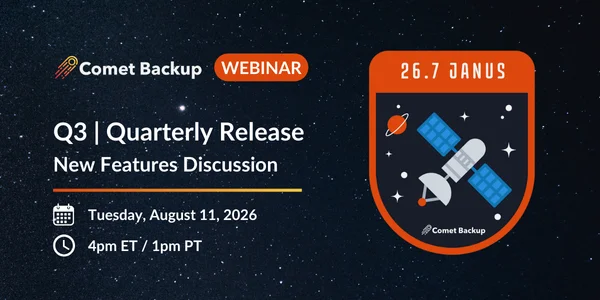
Join us for our Quarterly webinar on Tuesday, August 11th, 2026 (4pm ET / 1pm PT). Comet Backup's Product Manager, Adam Wien, and Engineering Manager, Callum Sinclair, will cover all the latest product updates, with a live question-and-answer session at the end.
Register for the webinar here.
New Feature: Model Context Protocol (MCP) Support
Available on the Self-Hosted Comet Management Console only.
Comet 26.7.0 Janus introduces support for the Model Context Protocol (MCP) in the Comet Management Console, opening the door to AI agent-based workflows for managing your backup environment. Comet Server can now act as an MCP server, letting you connect AI assistants and agent tooling directly to your Comet Server.
MCP is a fast-emerging open standard that lets AI assistants and agents connect securely to external tools and data. Over 100 tools are available covering users, jobs, storage, policies, devices, and server settings, so you can automate routine administration and reporting with the AI tooling of your choice. Tools are read-only by default, with write access available on an opt-in basis.
Why it matters:
- Automation without the overhead — Let AI agents handle routine questions and operational tasks against your Comet environment, from checking job status to surfacing accounts that need attention
- Built on an open standard — MCP is supported by a growing ecosystem of AI tools, so your investment isn't locked to a single vendor
- Secure and permissioned — Over 100 tools across users, jobs, storage, policies, devices, and server settings, read-only by default with write access opt-in
The MCP server is available on your Comet Server automatically — read-only by default, with no setup required. See the MCP documentation to connect your AI tool of choice.
New Feature: Slack Notifications from Comet Server Webhooks
Comet Server webhook notifications can now be formatted as native Slack messages. When adding or editing a webhook in the Comet Management Console, you can now point it at a Slack Incoming Webhook URL and have Comet's notifications render cleanly inside a Slack channel.
For MSPs and IT teams who already run their operations out of Slack, this means backup events — job outcomes, alerts, and status changes — show up where your team is already working, with no middleware or custom formatting to maintain.
Benefits:
- Notifications where your team already works — Route Comet events straight into the Slack channels your team monitors
- Native formatting — Messages render as readable, structured Slack messages rather than raw webhook payloads
- Simple setup — Configurable directly when you add or edit a webhook in the Comet Management Console
Enhancements
Comet 26.7.0 Janus includes a large number of enhancements across the platform, with a strong focus on performance and day-to-day usability. A full list of enhancements and bug fixes can be found in our release notes.
Management Console:
- Live, updating item count while a backup job is running, matching the desktop app
- Two-factor authentication (2FA) status now visible directly in the Users list
- Save and recall job searches for faster investigation
- Deeplink support for user devices, action dialogs, backup dialogs, and Storage Vaults
- New User / Account column on the Storage Buckets page showing which accounts use each bucket
- Faster initial web interface load times
- New filter to show deleted Protected Items on the Recent Activity page
Performance & Reliability:
- Job log aggregation replaces the old 15,000-message-per-job cap, keeping new issues visible on long-running jobs
- In-process DNS cache for Comet Server and client binaries (on by default for Linux and macOS)
- Faster Comet Server user APIs, particularly for larger user profiles
- Improved desktop app performance when rendering main-screen charts
- Performance optimizations for the Linux Files and Folders restore sandbox
Microsoft 365:
- Streamed processing of calendar and mail items to reduce peak memory usage on large mailboxes
- Faster Office 365 backup jobs
- Multiple fixes for calendar backups, resource/memory leaks, and byte-statistics accuracy
Storage & Platform:
- New "prevent users from editing Storage Vaults created from this template" option for Storage Templates
- Improved Storage Template Test Connection that provisions a throwaway Storage Vault to validate configuration
- Additional Impossible Cloud regions available as Storage Vaults (
eu-west-3andus-west-1) - Improved Bulk Update Campaign that skips incompatible OS versions and dispatches updates as soon as a device's backup finishes
Security:
- Added support for ML-KEM post-quantum encryption in TLS, helping protect data in transit against future quantum computing threats
- Linux Sandboxing now permanently enabled for Files and Folders restores to home directories
Notice: macOS System Requirement Change
Comet Backup on macOS now requires macOS 12 "Monterey" or later.
Any users still running macOS 10.13 "High Sierra", 10.14 "Mojave", 10.15 "Catalina", or 11 "Big Sur" should remain on the Comet 26.4.x "Phoebe" quarterly series, which continues to support those versions. Please review your fleet before upgrading to Janus so that no endpoints are left without an update path.