Proxmox Backup Now Available
Proxmox VE Backup Is Now Available
We're excited to announce that support for backing up Proxmox VE is now available in Comet 26.1.0 or later.
Whether you're already running Proxmox or exploring alternatives to VMware and Hyper-V, our Proxmox Protected Item will give you more options to protect VMs and virtual environments.
Learn More & Resources:
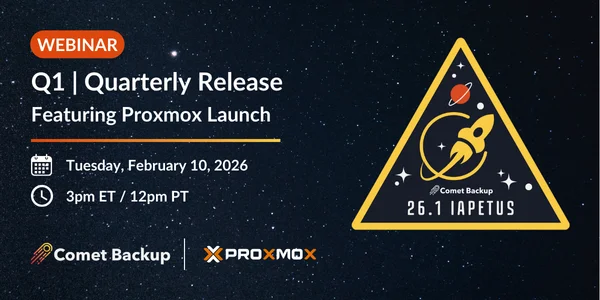
- Watch our 2026 Q1 Quarterly Release webinar replay to see our Proxmox Backup launch, with live Q&A at the end
-
Explore our Proxmox Backup solution page to learn more about the Protected Item, key features, and FAQs
-
Visit our Proxmox VE documentation page to find out more about requirements, backups, restores, and more
-
Pricing for Proxmox VE Backup will be:
- $3 per VM (max. $24 per host)
- $1 per container (max. $8 per host)
-
Visit our Feature Voting page to see how your ideas and votes shape our development priorities
Proxmox Virtual Environment
Proxmox Virtual Environment is a complete, open-source server management platform for enterprise virtualization. It tightly integrates the KVM hypervisor and Linux Containers (LXC), software-defined storage and networking functionality, on a single platform. With the integrated web-based user interface you can manage VMs and containers, high availability for clusters, or the integrated disaster recovery tools with ease.
Many businesses turn to open-source virtualization to streamline their IT operations through server consolidation. Proxmox VE offers a license-free, fully featured virtualization platform that enhances flexibility, security, and reliability, making it a smart choice for modern infrastructure.
If you are looking to use Proxmox VE, you can find their comparison against VMware vSphere and Microsoft Hyper-V here.
Features of Comet's Proxmox VE Backup
Virtual Machine and Container Backup & Restore
Our new Proxmox VE Protected Item will support backing up and restoring Virtual Machines (VM's) and Linux Containers to and from a Proxmox Cluster.

Backing up VMs will also launch with Changed Block Tracking (CBT) support for fast backups as Comet only needs to back up disk sectors that have changed instead of scanning the entire disk to find what has changed since the last backup.

Restore Virtual Machines to Hyper-V, Proxmox and VMware
Our new Proxmox VE Protected Item adds support for restoring VMs directly into a Proxmox Cluster. Once Comet's Proxmox VE Protected Item is launched customers will be able to restore a VM to Hyper-V, Proxmox or VMware hypervisors regardless of which hypervisor the backup was taken from.

Restore Physical Machines from Disk Image Protected Items
Our new Proxmox VE Protected Item adds support for restoring physical Disk Image backups directly to a Proxmox Cluster. This is a great feature for customers needing to restore a Disk Image backup instantly without needing to acquire physical hardware to perform the restore on.
Migration Tool from Hyper-V and VMware
Our new Proxmox VE Protected Item can be used to migrate VMs away from Hyper-V or VMware onto a Proxmox Cluster. There are quite a few benefits for using Comet to migrate your Hyper-V or VMware VMs.
If you have an existing Hyper-V or VMware Protected Item backup, you can migrate to Proxmox quickly without losing your backup history. This allows you to restore an older VM backup if required without needing to use any other systems or manage multiple backup jobs per VM.
Once Comet has performed a Hyper-V or VMware VM backup, if you set the Proxmox Protected Item to back up the same VM to the same Storage Vault as the Hyper-V or VMware Protected Item Comet's chunking algorithm will be able to deduplicate the backups together. This has a large number of benefits such as reducing total Storage required to maintain VM backups from multiple hypervisors and significantly faster backups as the first Proxmox VM backup does not need to re-upload a lot of data.
Comet's Proxmox VE Backup - Full Feature List & Capabilities
Backup & Restore Capabilities:
- Virtual Machine and Container Backup & Restore
- Backup of stopped VMs (automatically suspended during backup)
- Changed Block Tracking (CBT) for faster incremental backups
- Support for all disk types including TPM State drives
- Non-root user support for enhanced security
- Proxmox v8 and v9 compatibility
- Multi-node Proxmox cluster support
Restore Options:
- Restore Virtual Machines to Proxmox VE
- Restore Virtual Machines from Hyper-V
- Restore Virtual Machines from VMware
- Restore to various storage backends (Local, Ceph/RBD, Network storage)
- Granular file-level restore from VM backups
Storage Backend Support:
Supported File-Level Storage:
- Directory (dir) - Local file storage
- BTRFS (btrfs) - Technology preview, supports snapshots
- NFS (nfs) - Shared network storage
- CIFS (cifs) - SMB/Windows network storage
Supported Block-Level Storage:
- LVM (lvm) - Local block storage, can be used over iSCSI/FC
- LVM-thin (lvmthin) - Thin provisioned LVM with snapshots
- Ceph/RBD (rbd) - Distributed block storage with snapshots
Supported ZFS-Based Storage:
- ZFS local (zfspool) - ZFS volumes with snapshot support
- ZFS over iSCSI (zfs) - Shared ZFS block storage