26.7.3 Janus released
· 4 min read
Changes compared to 26.7.2
Changes compared to 26.7.2
Changes compared to 26.7.0
Janus is the latest entry in our quarterly rollup series. It branches off from our main rolling Voyager development into a fixed target for our partners to qualify and build upon.
This Quarterly release is named after Saturn's moon Janus. Fun fact: Janus takes its name from the Roman god of gates, doorways, beginnings, and endings — fitting for a moon caught in one of the Solar System's strangest orbital arrangements. This small, potato-shaped, heavily cratered moon shares its orbit with a sister moon, Epimetheus, and about every four years the two moons drift close enough that they swap orbits with each other — a co-orbital dance found nowhere else in the Solar System. Keep an eye out for Epimetheus; that name may sound familiar again later this year.
Comet 26.7.0 Janus focuses on smarter administration and faster performance across the platform. Highlights include Model Context Protocol (MCP) support for agent-based workflows, Comet Server webhook notifications that render natively as Slack messages, saved job searches in the Comet Management Console, and a new Storage Template option to prevent end-user edits of template-provisioned Storage Vaults. This release also delivers performance improvements across our Comet Management Console, the Comet Backup desktop app, and Office 365 Protected Items.
As always for a new quarterly release, there are two changelogs for 26.7.0 depending on whether you are coming from the previous quarterly release or the previous Voyager release:
Changes compared to 26.4.5 (Phoebe)
Any users of macOS 10.13 "High Sierra", 10.14 "Mojave", 10.15 "Catalina", and 11 "Big Sur" should remain on the Comet 26.4.x "Phoebe" quarterly series.
Self-Hosted Management Console Only
Comet Server can now act as a Model Context Protocol (MCP) server, letting you connect AI assistants and agent tooling directly to your Comet Server. Over 100 tools are available covering users, jobs, storage, policies, devices, and server settings, so you can automate routine administration and reporting with the AI tooling of your choice. Tools are read-only by default, with write access available on an opt-in basis.
Comet Server webhooks can now be formatted as Slack messages. Point a webhook at a Slack Incoming Webhook URL and job notifications render natively in your chosen Slack channel, with no middleware or custom integration needed. This can be configured when adding or editing a webhook in the Comet Management Console.
The Users list in the Comet Management Console now shows each user's two-factor authentication (2FA) status, so admins can audit 2FA coverage across all their accounts at a glance instead of opening each user's detail page.


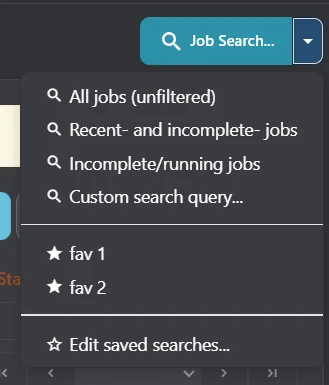
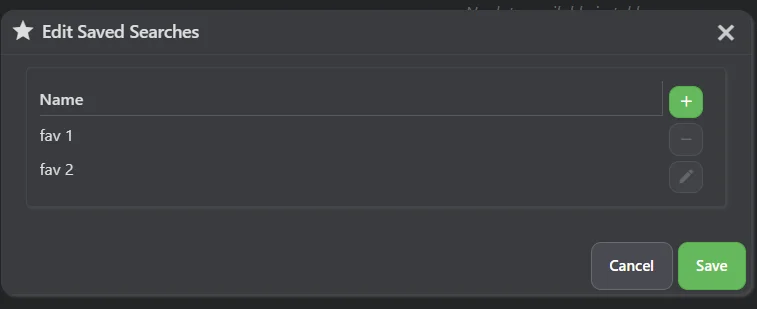
Job searches in the Comet Management Console can now be saved and recalled, so the filtered views you check regularly are one click away instead of being rebuilt each time.
A new "Prevent users from editing the Storage Vaults created from this template" option is available in Storage Template settings in the Comet Management Console. Storage Vaults provisioned from a template with this option enabled cannot be modified by the end user in either the Comet Management Console or the Comet Backup desktop app, even when the account policy would otherwise permit editing Storage Vaults — so centrally provisioned storage stays exactly as you configured it.
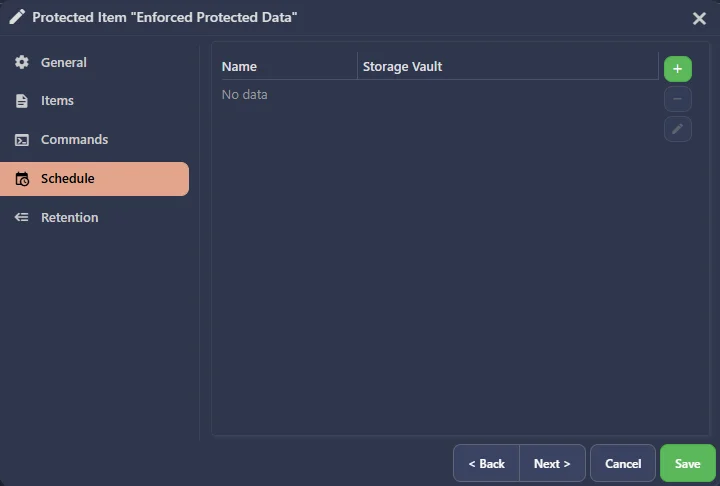
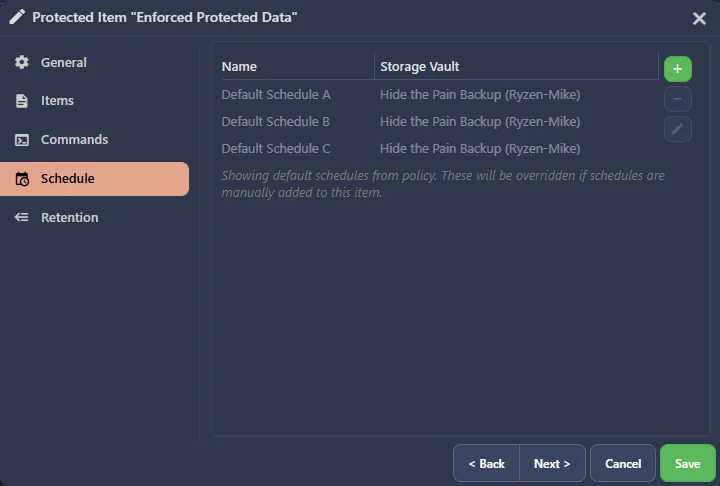
Policy default schedules are now automatically applied to policy default Protected Items that have no schedules of their own, ensuring devices covered by a Policy always end up with a backup schedule in place. For enforced Protected Items, schedules are always applied; for unenforced Protected Items, schedules are applied at Protected Item creation time. Default schedules are shown in a greyed-out, non-interactive state so they can be told apart from explicitly configured schedules.
Linux Sandboxing is now permanently enabled for Files and Folders restores to home directories, improving security by keeping restore file writes isolated from the rest of the system.
Missed Backup log entries now record whether the target device was online at the time the backup was expected to run, so you can quickly tell whether a backup was missed because the device was offline or for another reason.
The Linux restore sandbox has received multiple performance optimisations, and is now bypassed entirely for restores outside home directories where it is not required — making Files and Folders restores on Linux faster.
Office 365 calendar and mail backups now stream events and messages as they are processed, rather than collecting them all in memory before starting. This reduces peak memory usage when backing up large mailboxes.
The Comet Management Console now loads quicker on initial startup, reducing the time admins and users spend waiting to access the web interface.
Comet now supports the eu-west-3 and us-east-1 regions when configuring an Impossible Cloud Storage Vault, giving admins additional options for data residency and lower-latency backups in those geographies.