26.5.4 ‘Voyager’ released
Changes compared to 26.5.3
New Features
Model Context Protocol (MCP) support
Added Model Context Protocol (MCP) support to the Comet Management Console, facilitating agent-based workflows.
Comet Server webhook notifications as Slack messages
Added an option to format Comet Server webhook notifications as Slack messages, allowing a webhook to target a Slack Incoming Webhook URL and render natively in a Slack channel. This is configurable when adding or editing a webhook in the Comet Management Console.
Enhancements
-
Updated the Bulk Update Campaign to skip incompatible OS versions
-
Improved performance when making settings changes in the Comet Backup desktop application (COMET-59860)
-
Improved the Storage Template Test Connection action to provision a throwaway Storage Vault
-
Improvements for high DPI support for Comet Backup on legacy x86_64 macOS machines (COMET-59362)
-
Added a "Prevent users from editing the Storage Vaults created from this template" option to Storage Template settings in the Comet Management Console. Storage Vaults provisioned from a template with this option enabled cannot be modified by the end user in either the Comet Management Console or the Comet Backup desktop app, even when the account policy would otherwise permit editing Storage Vaults
-
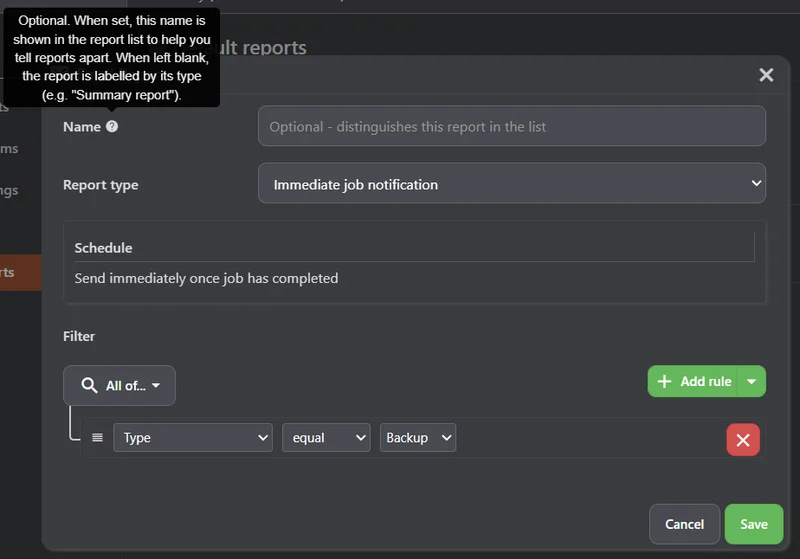
Added an optional Name to email reports, shown in the report list in both the Comet Management Console and the Comet Backup desktop app, making it easier to tell apart multiple reports of the same type
-
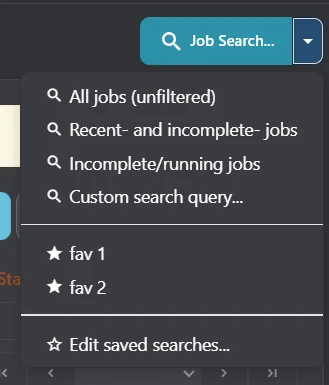
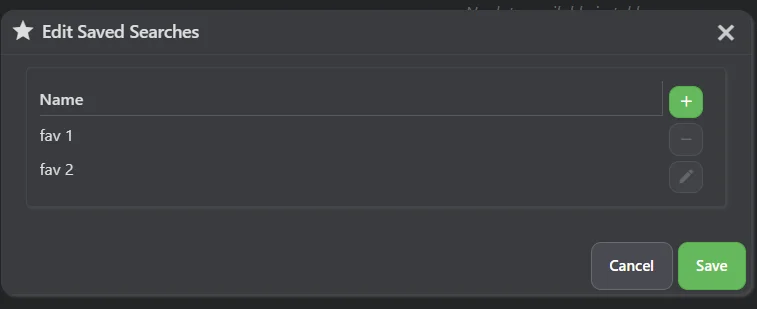
Added the ability to save and recall job searches to the Comet Management Console
-
Improved Bulk Update Campaign to dispatch updates to devices in the Pending state immediately after their backup job finishes
-
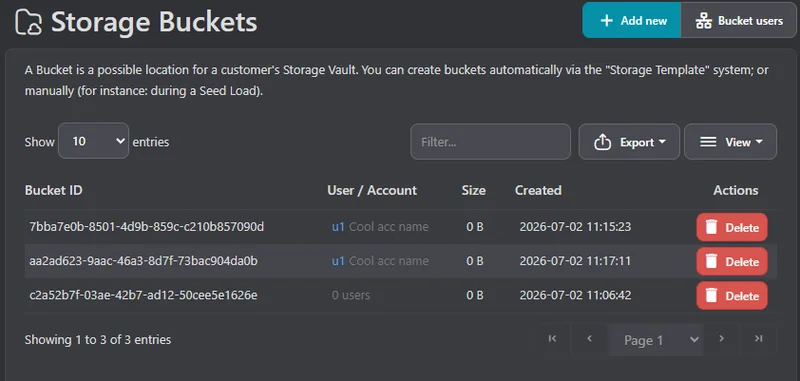
Added a User / Account column to the Storage Buckets page of the Comet Management Console, showing which user accounts use each bucket according to the latest Constellation report, with links to each user's detail page


Bug Fixes
- Fixed an issue causing the list of connected devices to be displayed in an arbitrary order in the Run Backup and Restore dialogs of the Comet Management Console; the list is now sorted alphabetically by device name
- Fixed an issue causing "ResizeObserver" messages to appear in the Comet Management Console web interface when using incompatible browser extensions (COMET-60074)
- Fixed an issue causing Disk Image backups to spuriously warn that data "may be corrupt or inconsistent" when a volume's Volume Shadow Copy was read without exclusive access; a shadow copy is immutable, so the read is consistent and the warning is no longer shown
- Fixed an issue causing Comet to reinitialize Storage Vaults and wipe encryption keys in some cases of temporary network connection loss
- Fixed an issue causing retention to fail rather than retry when S3-compatible Storage Vault are interrupted
- Fixed an issue causing the retention-pass status of a non-editable Storage Vault to be reverted when a backup job tried to clear it, which previously left the status stuck and forced a redundant retention pass to re-run on every subsequent backup job
- Fixed an issue causing device registration to fail in the Comet Backup desktop app when TOTP is enabled, instead of prompting for a TOTP code
- Fixed an issue causing the Comet Backup desktop app to repeatedly prompt to log in after a TOTP-authenticated device registration
- Fixed an issue causing a Policy "latest Storage Vault" backup schedule on an existing Protected Item to swap to a newer Storage Vault in certain circumstances
- Fixed an issue causing installation of the macOS client on unsupported older versions to be allowed (COMET-60125)